Thursday, April 12, 2007

Firefox on Apple TV - Anybody?

For quite a while now I'm looking a for a decent surf box for my living room. I think all the Media-Center-PCs aren't good enough; they are way to big. The other option would be to use one of the new game consoles. But:


  • the Wii doesn't do HDTV (at least until now)

  • the XBox is too loud

  • the PS3 too expensive and consumes too much energy (180 Watts on standby!)


Now there is the new Apple TV box. Actually the perfect hardware for a surf box. Small, quiet and with HDTV support. Fortunately it's running a stripped down version of OSX so it should be no problem to install and run Firefox on it. OK, I can hear the question already, why not Safari? Wait a minute: an unmodified desktop browser (either Safari or Firefox or any other) will be of almost no use. In order to be a perfect surf box there have to be certain modifications:


  • Usage of the Apple Remote because nobody wants to use a mouse in the living room. Sorry Safari but I can't see the support for that (except Apple is doing it them self). It will be hard enough to come up with a good usage scheme to allow page scrolling, link following, bookmark access and so on with the limited keys of the Apple Remote.

  • Running in full screen kiosk mode and get rid of unnessary toolbars.

  • A basic onscreen keyboard will be necessary to enter a URL and fill in forms (but in the beginning a local customizable start page will do).

  • Integration into the Apple TV menu. That should be easy, because this RSS extension already did it.


So in summary Firefox seems to be the perfect browser to try because it can be customized to almost any extent, can be enhanced by a huge collection of extensions and almost all websites support it.

Is anybody working on that? Please let me know.

Thursday, March 22, 2007

DST support in WorldClockr

WorldClockr now supports the toggle of daylight saving time (DST) for each clock (just about in time for the DST change this Sunday in Europe).
Click the little icon in the lower right corner of the clock:

indicates that DST is used (+1 hour)
indicates no DST
Wednesday, March 21, 2007

Compare


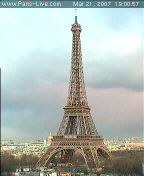
I added a new section to World Clockr where you can compare the Paris world clock directly with the Eiffel Tower web cam. Most interesting will be the times around sunset and sunrise, make sure you don't miss it.

If you want to have the same on your web site, just check the syndication page on how to embed a world clock into your web page.

Wednesday, March 14, 2007

New Project: CountDownr

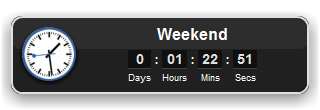
Screenshot

Today I started my new project: CountDownr.

CountDownr is a little Ajax project which gives everybody his own collection of countdown counters. Each counter is customized to its own time and date when it goes off. There are two types of counters:


  • Counters for a specific date and time. These counters can be repeated daily, weekly, monthly or yearly which advance automatically when the alert goes off. They are perfect for reminders on single events, lunchbreaks, weekends, paying your monthly bills or birthdays and holidays.
    Example: Midnight

  • Counters which read the upcoming events from public Google Calendars. Any public calendar can be the source for a counter. It advances automatically to the next event after each alert.
    Example: Google Developer Calendar

Tuesday, February 13, 2007

WorldClockr Bug Fixed

I fixed a little bug in WorldClockr which lead to slightly wrong sunrise and sunset times. As well the sunset/sunrise times haven't been updated properly over several days.


The same bugs have been fixed in the Dashboard widget.

Tuesday, January 30, 2007

New Project: Ajax Live Search

Ajax Live Search

Please visit my new Ajax project site. The Ajax Live Search page uses Googles Ajax Search API and HTML frames to create a more convenient search experience than traditional search frontends.

Features include search while you type, open search results in a separate frame, keep search results and a search word history.

Sunday, January 21, 2007

World Clocks for everybody

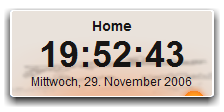
Example World Clock


Put your own clock from World Clockr on your homepage. This page explains how.


Alternatively you can just place a link to add your favourite clock to other peoples collection. E.g. this will put a link to a clock for Berlin, my hometown:


Berlin