Thursday, November 10, 2011

Pay Timer - New app for iPhone, iPad, Android, WP7 and BlackBerry PlayBook


Measure the time you work and calculate your earnings. The timer keeps running even when you close the application. So there is no need to keep it open all the time.

You can save a history of calculations locally on your phone and email them to yourself for backup and further processing.

paytimer.speedymarks.com


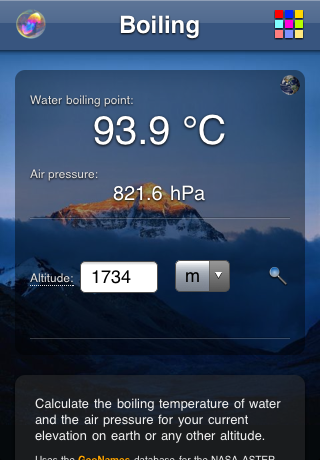
Boiling - New app for iPhone, iPad, Android, WP7 and BlackBerry PlayBook


Calculate the boiling temperature of water and the air pressure for your current elevation on earth or any other altitude.

Features:
  • Get your current altitude from ASTER (NASA)
  • Use the GeoNames database to search for the altitude of any location
  • Change the altitude manually
  • switch between metric and imperial units

boiling.speedymarks.com


Egg Race - New app for iPhone, iPad, Android, WP7 and BlackBerry PlayBook


Remember the old egg spoon races on kids birthday parties? Now you don't need an egg and spoon anymore. Just run it from your device and your kids are ready to go. Even better there won't be any dirt from dropped eggs on the floor.

You can choose between a classic and modern game. While the classic game simulates the egg on the spoon (more or less) the goal of the modern game is to stay below a certain maximum acceleration.

For the classic game you can choose whether you have to hold the device level (gravity) and/or calm (acceleration) in order to keep the egg on the 'spoon'.
For both game types the difficulty level can be chosen as well which adapts the sensitivity to the applied forces.

eggrace.speedymarks.com


HP TouchPad Apps


I started to port some of my iPad apps to the HP TouchPad. Here is what is available so far but more will be rolling in very soon. Stay tuned!

Thesaurus

Web Monitor

Moon Phases

Checklist

Sports

Weight Chart

Friday, August 5, 2011

Cool trick to organize your iOS Home screen icons

I find it always a real pain to arrange all the app icons on the different home screens of my iPhone or iPad. In particular it isn't very easy to move apps to a different page especially if they have to be moved to a far away screen. To make matters worse on their way to their final destination the icon order of in between pages is affected as well.

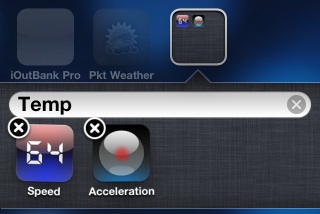
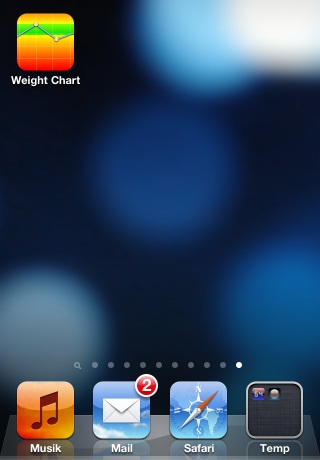
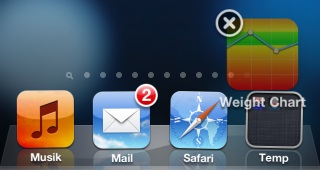
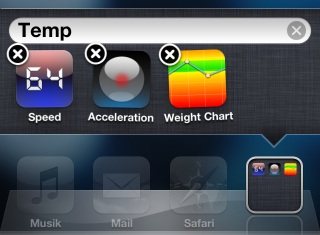
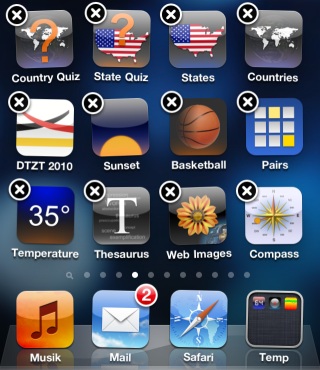
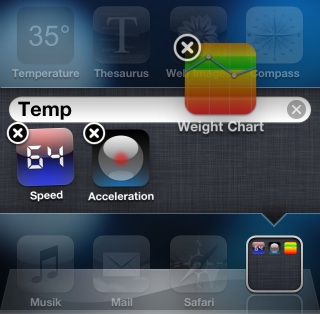
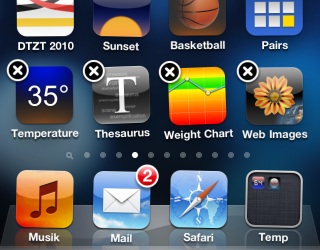
But here is a cool little trick which makes the icon move a lot easier. The basic idea is to use a temporary folder which is placed on the quick bar at the bottom:

Step 1 - Create a temporary folder (or take an existing one) put it on the quick bar


Step 2 - Put it on the quick bar and move to the page with the app you want to move


Step 3 - Move the icon into the temp folder


Step 4 - Go to the page where you want to place the app


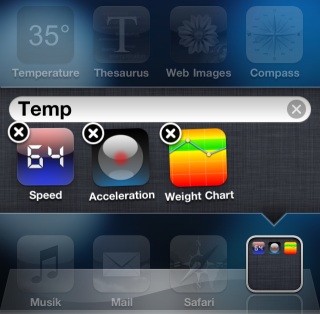
Step 5 - Open the temp folder


Step 6 - Move the icon from the tempo folder on to its spot on the page


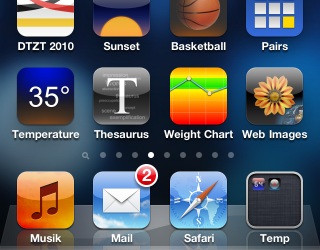
Last Step - Press home and you are done or go back to step 2 to move another app


Of course there is no need to move the apps one by one this way. For mass editing you can collect all apps from different pages before you drop them off on their new home.

Tuesday, June 28, 2011

Acceleration - New App for iPhone, iPad, Android, WP7 and BlackBerry PlayBook


Take your device to a ride and check the acceleration e.g. in your car, an elevator, on a roller coaster or during take off and landing. The acceleration is measured in gravitional units (9.81m/s2).

Features:
  • pause, resume and clear the charting

  • switch between chart and orb


Thursday, May 19, 2011

BlackBerry PlayBook Apps


I started to port my iPad apps to the BlackBerry PlayBook. The first two (Thesaurus and Quick Chart) have been available at launch of the tablet device but more will be rolling in very soon. Stay tuned!

All my PlayBook apps in the BlackBerry App World

Tuesday, May 17, 2011

Translator in Apple[FR] App Store Ad


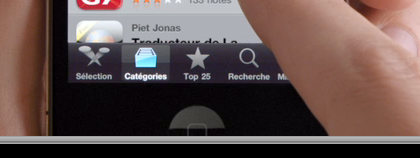
Due to its high rank on the list of top free apps on the french Apple App Store my Language Translator app appears for the glimpse of a second in one of Apples new iPhone TV spots for France (here is the original):


(just stop at 8s and have a look at the bottom of the list)

Many thanks to Pierre Granoux for the translation of the App store description into french.

Wednesday, May 4, 2011

Speed - New app for iPhone and iPad


This application turns your device into a speedometer and accelerometer. By assigning background colors to speed ranges you can see from the corner of the eye how fast you e.g. to avoid speeding.

Features:
  • The acceleration is color coded with a red background as well

  • Tap the small speed to toggle between mph and km/h

  • Tap the accelerator to make it larger

Thursday, April 7, 2011

Cooktop - New free app for iPhone and iPad


Simulates a glass ceramic cooktop. Use your device as a hob avatar e.g. for kitchen planning. You can control the hob by pressing the buttons, use the pinch gesture or shake the device. Best of all: it's freeware.

Thursday, March 31, 2011

@Apple: Please make iOS home screen management easier to access

What makes the iPhone iOS so outstanding among the existing smartphone platforms is the 'one button' approach. While the rivals make fun of it I think it is one of the reasons for the iPhones outstanding customer satisfaction ratings. You can give your iPhone, iPod Touch or iPad to your kids or even your technophobic mother and they will immediately know what to do. Compare that to an Android phone. Almost all new users are very quickly lost because they don't recognize the back button or miss the functionality hidden behind the menu button. On iOS all available UI elements are visible on the screen. You immediately see what you can do and where to go from where you are.

Unfortunately with the new features introduced in the latest versions of iOS Apple abandoned this principle itself. It all started with the UI to change and reorder app icons on the home screen. A long press on an icon in order to make it jiggle is not intuitive at all:
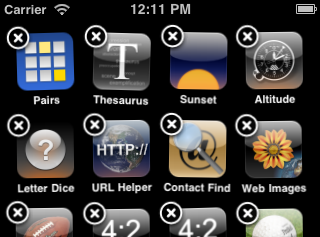


OK, once you saw it, you won't forget it but almost nobody finds out about it on their own. You will easily find quite a few in your non tech savvy circle of friends which didn't know about that feature until you showed them.

Fortunately home screen icon management seems to be a feature many don't miss. But things became worse with the addition of multitasking in iOS 4. The long press on the home button to activate the task bar of running apps is way beyond being intuitive:
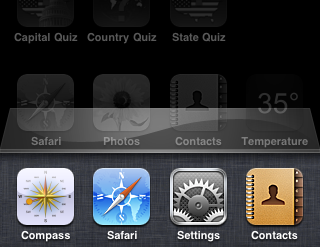


(So far I got quite a few support calls about how to stop or restart hanging apps)

In order to help new and non tech savvy users Apple should follow its own principles by adding a visual element for these tasks (icon jiggle and task manager). There could be a special icon on the home screen which activates the jiggle mode:


To make it easy to find it could be placed on the always visible quick start bar which itself could have a special element at the bottom to activate the task manager:
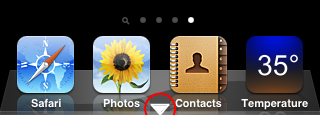


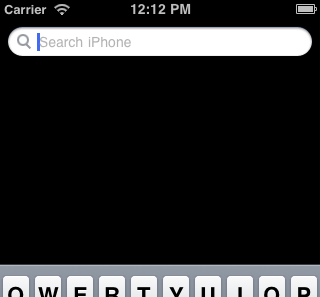
Another good place to start the task manager would be the search page (the most left home screen page). There is enough empty space below the search bar for a list of running apps:


Apple just added a developer preview of several more finger gestures to quickly switch between apps and activate the task bar. While these are great new features for powers users Apple should try to keep the iOS platform as attractive as possible for new users as well.